Showing posts with label Tips. Show all posts

Thursday, March 22, 2018

Saying your family is from Posen is like saying you are from New York


Do you mean Posen, or do you mean Posen?

Well, do you mean New York, or do you mean New York?

In that way, Posen is just like New York.  When you say you are from New York, do you mean New York State or New York City.  Most people actually default to New York City based on our common assumptions, but the State is much bigger and probably has more people overall.   Here in America, we assume that if you say you are from New York, then you are from the city.   Most people when they talk about the rest of New York either say "Upstate New York" or "near Buffalo" or their exact town to ensure they are understood.

When my relatives came to America, they just listed Posen on their immigration forms.  I'm sure your family did the same thing.  The problem with that is that we just assume they meant the city of Posen, Prussia.  However there are a lot of other cities in the greater province of Posen. 

1848 map of Posen Province
In fact the Grand Duchy of Posen was about 11,000 sq miles large. About a fourth the size of New York state. It had a lot of cities in it besides the capital city of Posen in Posen.  Cities like Kempen, Lissa, Rawitsch, Schroda, Bromberg, Gnesen, and Kolmar. 

To make things even more complicated and confusing, the Prussian Province of Posen was divided into two government regions: Posen in the south, and Bromberg in the North.  So, the address of the City of Posen was actually something like Posen, Posen, Posen, Prussia.   One hint if you are indeed looking for the city of Posen: the German word to look for is Stadt Posen.  It means Posen City,  just like saying, New York City.

How to do genealogy research for family from Posen

First off, you are in luck. There are a number of great online resources for Posen research, and if you write to the registration offices they are very helpful.

The strangest part is that all the resources are in Polish, and you'll have to do some Google Translating to get around. After WWII Posen was given back to Poland.  However all the records are still in German, so you are looking for are German language records on Polish sites. So, between English, Polish, and German you should be fine.

BaSIA:  Your first stop is to visit the BaSIA Project, the Database of Archival Indexing System for all of Wielkopolska (Greater Poland region in west-central Poland).   They have indexed over 4 million records, many of them with links to the original scanned images!  There are birth, marriage, and death records. And not just for the city of Posen. All Posen!

Poznan Project: While working with BaSIA you may also try the Poznan Project, which is a sister project dedicated to indexing and transcribing all the 19th century marriage records for Posen.  It can be helpful to find the exact record, and then go back to BaSIA to narrow your search down to find the image links.

Luft's Naturalized Jews of Posen: If you have any Jewish relatives, the book Naturalized Jews of the Grand Duchy of Posen in 1834 and 1835 by Edward David Luft is a really great resource.

Posen City Card for Isaak Wolff and Family
Posen City Cards: There is a treasure trove online. It is the City of Posen Population Census, and spans the years 1870 to 1931.  These cards list out all the family members in a household along with their birth dates and places. Sometimes their death dates and address changes.  These are amazing, and there is a searchable index!  Now, these are only for the city of Posen, but like New York many many people ended up in the big city at some point.  My own family was from Lissa originally, and they have a Posen City card for their time there.

Keep searching. You might just discover an entire tree of family members you never knew about!


Monday, January 8, 2018

My Cousin AJ Jacobs Has Written Another Great Book!

I really love reading books by the author A.J. Jacobs, and have avidly consumed most of his written works. I only say "most" as I'm sure some article he wrote for a local newspaper when he was 10 has probably escaped my attention. In any case, one of the things I like best is that his smart and sarcastic insights are what I wish I could aspire to if I was any good at writing myself. His prose resonates with me, and his topics are mysteriously in-tune with my own life (yes, I too read the entire encyclopedia when I was in grade school).

In 2009 I briefly corresponded with him, and on 26 Oct 2009 I invited him to join the big family tree on Geni. A mere four years later on 9 Nov 2013 I got an email from Geni telling me that he had accepted! That's lightning response speed in the genealogy world -- you all know what I'm talking about: that one super important close DNA match who still hasn't responded to your many attempts to contact them.


Now, I'm not taking credit for getting A.J. involved in Genealogy. I'm not even suggesting he joined Geni at my recommendation. In fact, according to his story it was his eighth cousin Jules Feldman in Israel who was the tipping point. I only hope that my tiny grain of sand helped with the gravitational pull that eventually led to his involvement.

Well, as AJ does when he does get involved, he really gets involved! He hit the genealogy world full steam and I'm not sure they really knew what hit them.  On 6 Jun 2015 he held The Global Family Reunion in Queens, New York, and in late 2017 he published a book about it all.

It's All Relative: Adventures Up and Down the World's Family Tree
By A.J. Jacobs


I think the thing I like best about the book is that it is completely readable by anyone, and each chapter imparts an important lesson in a funny and down to earth manner.  Gosh darn it, that's exactly what I've been trying to do with this site, and he just did it oh so much better!  Game on!


No no, thank you Cousin AJ. This book couldn't have been more timely and on-topic, and almost seems like it was written specifically for me -- even though I know that it wasn't!


Friday, May 13, 2016

How to be an Agile Genealogist

Albert Einstein's desk the day he died
Do you have notes and lists all over your desk reminding you of all those genealogy sites you need to visit? Those surnames your need to research? That e-mail you need to write to the family history center in your great grandparent's hometown?

How do you ever get anything done? 

Well, I know way too much about the Agile software development processes. It's the same in the software world. Thousands of great ideas, and only the time and money to do a few of them a week. I can talk about Agile for hours and hours and hours and hours and I won't bore you to tears about why it is so amazing and awesome. Yes, it's based on Lean manufacturing principals, and all sorts of science. So what. For us in the genealogy world, there are just two things you need to know:

1) Prioritize your next tasks. Giant lists are not at all helpful. They are overwhelming. In Agile they call this your backlog. Manage your backlog. If you only research ten genealogy mysteries in the next month, what would they be? Put them in order on a shorter list: your "Prioritized Burn-down List."

2) Work on one thing at a time and finish it. As much as you think you can multi-task, you can't. Genealogists are human. Yes, and humans can only work on one thing at a time. This is called managing the WIP (Work in Progress). Do one thing; finish it, and move to the next. For you, your limit is one thing. That's your WIP limit.  Teams of people can do more than one thing; and you are a team of one.

There, was that too painful? I actually introduced you to some important Agile terms: burndown list, backlog, WIP, and WIP limits. Easy stuff, and you're one step closer to starting that second career as an app developer!

How to Use Trello to Become an Agile Genealogist

Yes, all the kids these days are using Trello. Dropping Trello into a conversation with your granddaughter will blow her mind. Try it!

Step 1) Sign up for Trello, it's free! 

Really, it's free for all the features you'll need for genealogy! Go to Trello.com and sign up! Do this now. It's the real deal. Millions of people are using it.

Step 2) Create your first board

The dreaded blank screen.  Trello is so flexible, you can do anything you'd like. Therefore, it's easy to get stuck here. Follow me onward friends! Create a board called "Genealogy" or something sensible like that. Once you master Trello, you'll probably want to create another board called "Things for my spouse to do around the house" and then another and another. It's addictive.

Once you create the board you'll end up with this screen:


Step 3) Create your lists

Remember what I said about how giant lists can destroy your life? Oh, I must have left that part out. Anyway, the way to manage a giant list is to spilt it up into smaller lists. In the simplest Agile process, we create Kanban boards that have three lists: To-Do, Doing, and Done.

I recommend for genealogy, that your lists look like this, working in that same Kanban fashion left to right.   All the things you want to do are on the left.   All the things you've done are on the right. And in the middle, instead of just "Doing" you make three lists, Next Week, Tomorrow, and Today.    So, five lists to sort things into:

  1. Someday -- these are things you don't want to forget. They need to be on a list. 
  2. Next Week -- these items actually need to get done this month; they are just that important.
  3. Tomorrow -- the priority short list I need to do when I'm done with today's work.
  4. Today -- this is the one thing you need to do today. Finish it. 
  5. Done -- large list of completed tasks. Yay you! 

Feel free to change the names of the lists to something that really works for you. An important part of Agile is the idea of trying something, reflecting on the experience, and modifying thing to work better for you.   Add another list if you need one. I have one called "Daily" right next to Today that is a list of all the things I need to do every day, like Twitter, Facebook, and the like.


Step 4) Fill in the lists with cards

Now the fun part.  Start adding cards to the list. Cards are the tasks you need to do. One card for each task. These are those Post-It notes that are all over your wall, desk, and computer. Click on "Add a card..." and type them in.

One rule about cards. Each card should be no more than a day's work. "Scan Photos" is a great card, but if you can't do it all in a day, you'll need to break it down into multiple cards. Step it out into things like, "Buy Scanner", "Sort photos to be scanned", and "Scan important photos from uncle's album".

I recommend adding all your cards to the "Someday" list. Type them in as fast as you can. Get them all into that horrible giant list catch all bucket.

Then sort the cards into their proper list. Just drag and drop.  Grab the one card you need to work on today, and move it over to the Today column.

Next, ask yourself, "If I only do four things this week, what are they?"  Find those cards and add them to Tomorrow's list.


Step 5) Do a Task and Finish a Card

Hopefully, the card in Today's bucket is called something like "Try Trello for Genealogy."  Well, that's done.  Move it into Done. Done done done!

Next, and this is important, pull the next card from the top of tomorrow's list. Drag it into the now-empty today column.  Always pull the top-most card. Therefore, always put the most important next task at the top of your lists. Drag the cards around. It's actually fun and easy.  You're a prioritizing wizard now!

I had to sit through two full days of time-management classes to learn how to break through the tyranny of the inbox, and you've mastered it in the ten minutes it took to read this post: take large lists and break them up horizontally into smaller, prioritized lists.

Advanced Features

Trello has some amazing features that will help you along the way. My favorites include the following:


  • Due dates: if something actually has to be done by a certain date you can get a reminder a few days before it's due. This tells you to find that card and move it closer to the top of the tomorrow pile. 
  • Trello Apps: you can install the Trello app on your iPad, phone, or other mobile device and have your to-do list with you wherever you go. You can even add things to it, and it is all synched together.  
  • Teams: Trello was actually built for teams, so if you have another researcher working with you, there is a good deal of communication and collaboration built in. 
  • Checklists: each card can have a checklist of all the little tasks that can be checked off as you do them. 
  • Photos: yes, you can add images to Trello cards. Especially cool when taking photos with your iPhone at a research center. 

Seriously, sign up for a free Trello board today. 


Tuesday, April 12, 2016

Tip: Read The Latest MyCanvas Guest Blog Series

MyCanvas was originally part of Ancestry.com, as a product line featuring ways to print you family tree in many different ways -- including photobooks, posters, collages, calendars, and the like.  They were acquired by Alexander's a while back, and continue to offer some really beautiful options for displaying your family history.

MyCanvas Guest Blog Series

Yes, I'm slowly getting to the real point.  I was asked to be part of their latest Guest Blog series, and I jumped at the chance to write a story about one of the first real mysteries I was presented with -- one that took me years to solve.


Who Are All These People?

The case I wrote up is all about this old family photograph, and how I figured out who everyone was. There are a number of methods I used, and all of them were required in order to figure out the names of each and every person pictured.

Read all about Who Are All These People? by The Cousin Detective and then tweet and follow the hashtag #MyCanvasGBS to join the conversation.


Tuesday, April 5, 2016

How to Scan your old Family Photos

Everyone has a few old family photos that are unlabeled. Mystery photos! Well, the only way to figure them out is to get more photos. Every member of your extended family has some piece of the puzzle, and the goal is to get all the pieces into one place so that everyone can share them, view them, and start bringing the big picture into focus.

 The best way to do this, in this day and age, is to digitize all the old photos and put them somewhere on the internet where family members can comment on them.

 So, how to digitize them!

The 4 Ways to Digitize Your Precious Photos:

Camera: I know it's strange to start a scanning discussion with "don't scan them",  but with today's digital cameras and latest smartphones you can do a decent job of digitizing an old photo by just taking a picture of it. In fact, the really professional operations who are digitizing all the known records around the world use a camera set-up. At least 12MP.

A Service: Also, nobody has time to deal with this. There are many services that will scan your photos and clean them up a bit. A good one is ScanCafe.com, and there are others. The nice thing about these services is that they do slides (remember those) and just about anything you can put into a box and send them.

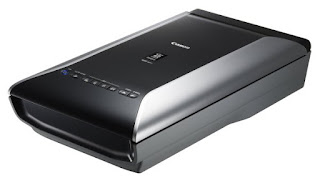
Canon CanoScan 9000F Mark II
Friend or Family: Ask somebody with a scanner to do it for you.  I often scan photos for my family; practically begging them to mail me their precious family albums so that I can scan and share them with the family and then next-day them right back to their owner.

Scanner: a decent flatbed scanner is actually not that expensive anymore. There are really good ones under $200. You just need to make sure you scan at least 600 dpi, going up to 1200 dpi for small images.

And now share them!

The importance of sharing these photos can not be ignored. That old picture of your great grandfather means something incredibly special to possibly hundreds of people. Share it. And likewise, you'll be astonished that people have photos you never knew existed.

Create a Facebook group private to your extended family, or post them on Google Photos and send out links.

Sunday, March 27, 2016

How to Color Code Your Genealogy for Places

Previously, I wrote about how to color code your genealogy family research by family using the fan charts from FamilySearch. Well, a recent rush of tweets about #MyColorfulAncestry inspired me to take it a step further.

What about Places?

Color coding isn't just for family surnames anymore! Nope, it can actually be even more useful than that. It an actually help with focusing your research.  You can color code by places!

Using the amazing Ancestor Graph tool from HistoryLink, I automatically created the basic color wheel just by authorizing HistoryLink to pull in all my Geni data.  Once the chart displayed, I realized that I had a bunch of holes that needed to be researched, and a lot of the data I had entered wasn't consistent.  So, after only a slight side-track, I brought the wheel into Photoshop and changed the colors and added my own text labels.

Ta-dah!
Places of Birth Color Wheel
Wait, Why Places? 
It took me a lot longer to figure this out than it should have.  Surnames are nice and all, but where exactly your ancestors came from is really really important.  You don't realize just how important they are until you have to figure out which of the 27 Reichenbach's your family came from.  All the records you need are most likely somewhere near those places.

Looking at the color wheel, you can see that my relatives didn't just come from "Posen" as I first heard. Nope, they came from a bunch of specific places in Posen.

Also, you can see that I still have a lot of work to do in Silesia, which was part of Prussia back in the day -- it now lies squarely in Poland, and I just haven't what I need yet. Yet.

Another quick tip. Use the names of the places as they were back when your family was there. For example, Waibstadt is now in Baden-Württemberg, but that's nice. My family lived in Waibstadt before 1871 and at that time it was in the Grand Duchy of Baden.  Focusing my research on just Baden allows me to ignore the huge areas of Württemberg, Hohenzollern, and Swabia that joined Baden to officially become Baden-Württemberg on April 25, 1952.  It's all about narrowing the focus.

How to Create a Places Color Wheel for Your Family Tree

1) Update Geni with all your family tree information -- most of it might even already be there.

2) Run Ancestor Graph and change the display options to "by region, country of birth"

3) Fix errors that you can now see extremely clearly

4) Download the final image once you've gotten it looking better

5) Photoshop the final image to update the colors to match your standards and to add text

6) Tweet it out and post it to Facebook to show the world

7) Research those missing gaps now that you have reminded yourself where you need to look

Saturday, March 19, 2016

Tip: Ask Facebook about your Genealogical Brick Walls

There are now more than one billion people on Facebook every day. That's a lot of people, and maybe one of them can help you.  What are the odds? 


All of us have that famous family tree brick wall that we've been starring at for years. It happens to all of us. I finally caved in and asked Facebook about my brick wall. I wrote up the question and posted it to one of the many Facebook groups devoted to genealogy.  This group was specifically devoted to Posen, a German province in Prussia that is now part of Poland. Posen is Poznan in Polish.

I rewrote my question a couple of times as people asked me great questions that I should have anticipated, like years, names, and places -- data that has to be included in order to get a good answer.  I know that many of us get lazy and write short questions, or we don't give all the information so that we can do a double-blind confirmation if someone comes back with what we already know. However, in order to really get the best answers from the thousands of experts (out of one billion), you need to give them the best information you have. Many of them will devote research time on your question, for free, on their own time, and they are far more likely to do that if you give them a good rich question.

In my case, one person told me I should check out the Posen Project website.  Duh!  I'm obviously working on this area, and have used that site many many times. Anyone who knows how to use Google finds the Posen Project on their first search.  How very remedial and somewhat demeaning. So, before writing something snarky back to them, I realized I hadn't been to the site in a few months and I better double-check.  So, off I went, and boom!  There it was.  The marriage record that would break down the brick wall!  Yes, they keep adding records. Every day.

Thank you Facebook!

Reasons to Ask Facebook:

1) One Billion: There are over one billion, with a "b", users each day.

2) There's a group for you: there are so many groups of Facebook, that it's very likely that there is one devoted to your area of genealogy.  Thus, the people in that group are even better equipped to give you some good advice and maybe some answers.

3) Articulation: By just writing down your question, and making it a good question, you help yourself figure out just what you really need.  Figuring out your exact problem is often more than half the issue, and the act of writing sometimes gets you to focus on what that really is.

4) Reminders: Sometimes, someone will remind you of something very basic and fundamental. And sometimes those reminders are really the best thing, as they you bring back to the foundations and force you to get it absolutely right.


Tuesday, January 19, 2016

Just How are Related to Each Other Again?

Just how exactly is your second cousin once removed related to you, and what does that mean for the amount of DNA you share?

One of the most confusing things about genealogy is when you get into those second cousin once removed situations. Nobody know how that works.

I have seen a number of nice charts, and I've added my own. This one includes a blue shading for just how much DNA you share with the person.  I think this really helps show just how much you are related to everyone.

Genealogical Relationship Tree with shared DNA cM


I'd like to thank all the others who have done so much more work on both relationship mapping and genetics. Alice J. Ramsay created one of the first relationship charts back in 1987. And if you really want to fully understand DNA and cM sharing, you'll want to read more from Blaine T. Gettinger, The Genetic Genealogist.  


Monday, January 11, 2016

How to Denote Dates to Avoid Confusion

This seems obvious, but it really isn't. In fact I thought my great great grandfather's birthday was March 7th for many years until I found my mistake.

Worldwide Date Standards
Here's the issue.  People in different countries write dates in different ways.  Why why why? Growing up in America, I think that 3/7/50 is so obviously March 7th of 1950. Clearly.  Now, I happen to know that my great great grandfather was born before my grandmother, and she was born in 1912 -- so that 50 must be 1850. I think. I mean it could be 1750, but 1850 makes more sense. And there you go, that's the first issue with dates.  You need to write the full year. No abbreviations.

Now, the second issue with us Americans...  In Europe and other places in the world they write the day first, then the month, so 3/7/50 would be 3 July 1850 if it was written in, say, Germany (where he lived).   Ahhhhhh, all those other wrong dates that said July now make total sense. It is indeed July 3rd. A date like 30/12/1901 is easier to figure out, as there isn't a way to have a 30th month, but that doesn't work for anything earlier than the 12th of every month.

So, genealogists around the world have settled on a genealogical standard.  It's DAY MONTH YEAR, with the MONTH spelled out.   Something like 3 July 1850 or 30 December 1901 and the like. There is zero confusion about that, right?

Well, not exactly.  Some people think that you should abbreviate to three letters and uppercase them, such as 3 JUL 1850 and 30 DEC 1901.  That's fine if you speak English, but what does DEC mean to someone from Germany? December is Dezember in German, so that's close if you spell it out.  But in Fiji it's Tiiseba, and in Czech it's prosinec.  English abbreviations are just dangerous, sorry.  However, there is a compromise between having to type too much and getting the data correct. So, for those so inclined to shortcut a little bit, the common data entry standard is to abbreviate to the English month names to Jan, Feb, Mar, Apr, May, Jun, Jul, Aug, Sep, Oct, Nov, Dec -- without a period after them.  FamilySearch does not abbreviate the month names, but will take your shortcuts and automatically spell them out for you -- which is nice.

The goal is to denote dates that are clear, readable, and trustworthy. Dates are important in genealogy. You know, like birth date, marriage, and date of death?

Now, just to throw in a couple of other standards for estimated dates.  If you think you are close, you can type in abt 1850, where abt means "about".  If the last you've seen someone was the 1900 census, you can document the date as "aft 1900", meaning after 1900.  Likewise with "bef" for before, "bet" for between, and "cal" for calculated. Again, abbreviations are less clear and readable than spelling things out.

Stick to the standards. They are there to reduce confusion. There is thought behind them.  And thus, I hope to pass on unambiguous data to future generations...

Emanuel Wolff
Born: 3 July 1850
Married: about 1879
Died: 30 December 1901


Monday, January 4, 2016

How To Do a One Place Study

I have to admit that I really appreciate all the hard work that goes into one place studies, and I am extremely grateful when I run into one for a location that my family occupied. I also have to admit I didn't fully understand why people did one place studies.

Why do people do one place studies? Why would I? Well, here are a couple of personal anecdotes about why I would do one -- perhaps you'll find other motivations like social science, economics, and all that thinky thinky stuff.

Santa Cruz, California, USA

Santa Cruz, California
I grew up in a small surf city, and when I lived there the population was 41,404. That's probably too big for a first attempt, but I'd suspect that many one place studies are done because the person is living in the town.  Learning more about the families and history of the town you live in is a great high school project, and you might even learn something amazing about that empty lot down the street (like it was part of another town that got swallowed up by the current town).

Garrison, Iowa, USA
Garrison, Iowa
My grandmother grew up in Garrison, Iowa and she's buried there with her parents, brothers, and sisters.  I went there once, and took photos of them.  That was not enough, as I keep learning. If you have ten children from a single place, then you probably have ten weddings... those ten people came from somewhere!   Yes, I'm most likely related to each and every person in Garrison by either blood or marriage.  Sometimes it's the husband of a cousin of the in-law, but they're still kin in some manner or another! The entire Garrison Cemetery matter to me in some way or another, not just the few graves I visited.

Waibstadt, Baden-Württemberg, Germany

Waibstadt, Germany
Originally I only knew that my great great grandfather was born in Waibstadt, and that he moved to Heidelberg. I didn't know much else. At some point I found out he had a brother. Then I found the actual German records for the town of Waibstadt, and I'm trying to learn how to read old German script. I also found the grave records. In matching them all up, I started constructing my very own one place study of sorts.  And yes, it does turn out that as you go back in traces to a single family -- meaning I am related to everyone I was researching!

St. Blazey, Cornwall, England

St Blazey, Cornwall
Thankfully, someone has done a one place study of St. Blazey, Cornwall.  It's an amazing piece of work, and goes back and back and back.  I have mentioned St. Blazey before, in The Mysterious Disappearance of Luke Lukes. Well, the reason I have so much information on the Lukes family of St. Blazey is through the hard work of The Saint Blazey Families Project.

How to do a one place study:

1) Census Records: Basic one place 101 is gather up all the census records and start there. This seems obvious now, but I certainly didn't run down and grab all the Garrison, Iowa census records at first. I started only with the families that I cared about (meaning the ones I knew about).  Just get them all!

2) Cemeteries: It goes without saying that you first one place study should be a small place, hopefully with only one cemetery. Take photos of every gravestone in the cemetery, and then see if there is an office or contact with any paper records that would accompany the graves.

3) Newspapers: The small local paper will be extremely useful, especially with birth and marriage announcements, as well as obituaries.

4) Church Books: There are different churches, and you'll want them all.  FamilySearch has a really good index on what is available for each town. Put in a town, like Garrison, and you'll find out what is available. In Garrison's case there are two (not bad for a town of 371).

5) Civil Records: Besides church records, make sure that there aren't civil records at the local town hall. You're usually welcome to browse through the giant birth, marriage, and death books if they exist.

6) Ortssippenbücher: It can certainly make your life easier if they are located in Germany and someone has already created an Ortssippenbücher (OSB) or Ortsfamilienbücher (OFB) for the village. Supposedly Karlheinz Jakoby spent a lot of time working on the Ortsfamilienbuch Waibstadt, but still hasn't had the 100 pre-orders to get it published. This one is driving me crazy, and I'm just about to place all 100 orders myself. I wrote a letter to Mr. Jakoby, and I'm very hopeful he will write back someday. I can't wait to see his work, and I certainly don't want to do it all over again myself!  

7) Voter Rolls: Voter Rolls and Citizen Lists are a go-to resource for one place studies.

8) Tax Records: Yes, everyone has to pay taxes. Sometimes they call them weird things like Tithe Apportionment Schedules, but they're still taxes.

9) City Directories: Phone books, or yes, before there were phones, they were called directories. City directories. They even had yellow pages before there were yellow pages, usually called something like Trade Directories or something like that.

10) Wills and Estates: Ancestry.com just spent a lot of time and trouble on their Wills and Probate collection, and it's great. You'll also want to check the courthouse of the town you're working on.

12) Land Records: Land tenure records are also at the courthouse. Things like deeds, abstracts, indexes, mortgages, leases, grants, and land patents.

12) Military: Muster lists for military and militia service is regional. I've had some luck using Fold3.com for this.

13) Maps: Maps, especially old maps are a wealth of information.  Someone recently sent me one from the 1800's that had a "Will Lukes Hut" on it. That fits the puzzle somehow. I'm not sure how, but you can't have a complete study without a few maps.

14) Photos: And speaking of old maps; don't forget the old photos.  It's really fascinating how places change, and what's even more remarkable is what stays the same. Photos and old postcards really help.  That photo above of Garrison, Iowa is of the old mercantile. That store is still there. I think it even has some of the same stock in it.

15) Societies and Libraries: The local library and local historical society should be visited. They might know if anyone has already done a one place study, and/or put you two in touch to continue the work together.

Start Your Tree

So now what? Well, once you've gathered up all the sources you'll need to start assembling pieces of the family tree.  It will not all fit together at the start, and in fact, it might never all fit together.  You should create it all in the same sandbox or project so that as family groups click together via marriage you don't have to redo everything!

Tuesday, December 8, 2015

If All Else Fails, Talk to Your Family

Yes, there is a ton of work you can do on your family tree online. Ancestry, FamilySearch, Geni, and others make it incredibly easy to get very far up your tree while sitting at your computer in the dark until 2:00 in the morning.


You make amazing discoveries about long-lost
second cousins of your parents and grandparents. You are elated. You share this discovery with your father and he says, "Oh yes, of course I know cousin Ronnie. We went to camp together every summer!" Or something to that effect.  And, then he goes on about Ronnie's sister who you know nothing about.

When all else fails, and you are down to your absolute last resort, it might be time to talk to your family. I'm not talking about distant family either. My dad's cousin is a treasure trove of family history and pretty much knows something about every hard-fought discovery I've ever made in that part of the tree. Perhaps I should just sit down and talk with him once in a while? Perhaps?

How to talk to your family about genealogy:

1) Be Prepared: You'll need to be prepared it two ways. The first is that you should have some idea of what questions to ask them. The second is you need to be prepared to go off-topic. This is okay, and will often lead to even more treasure that you didn't even know existed.  You might even want to prepare a list of people to talk to, and create simple one-page family tree cheat sheets to share with them. Start with the oldest and frailest relatives first. No reason, just trust me.

2) Record it: Video is best, and there are a lot of audio recording apps on your phone if they don't like video. Record it all as you'll want to replay it once you finally start to research that off-topic area that they brought up as they avoided your direction questions.

3) Use Photographs: My uncle doesn't know anything about our family history. When I ask him to tell me a story, he claims there isn't anything much to tell and that it's all been told a hundred times. However, if I put a photograph in front of him, he will chat about it and all the surrounding facets for an hour.  You need a conversation starter. If you have many to choose from, try to find one from the time and place that you most want to learn about.

4) Watch the Clock: Don't go on and on endlessly talking about family history. Be respectful of their time, and their attention span. Luckily, most people love talking about themselves, but it's still a good idea to keep it to an hour or two. This will ensure they won't dread your next visit or call!

5) Thank Them: Obviously. Be grateful.  Follow-up with something new to share with them that you found based on their help. Show them that their memories matter and that they are really helpful to your research.

Oral history is a fascinating part of family genealogy that many of us leave until it is too late.  Do you know what your great grandfather's favorite dessert was?  Or song, or book? Do you know his personality; was he kind or stern?  Do you know any of your grandmother's secrets or wisdom? Here are 150 questions to get you started.

Monday, November 2, 2015

How to Color Code Your Family Surnames Research

When people first start doing genealogy and being to research their family surnames, most of them are smart enough to realize they must divide and conquer.  They start with two files: one for their mother's family and one for the their father's side.  So very organized, how wonderful!

Warning. This is not enough dividing!  At the minimum you need four files, one for each set of great grandparents.  In fact, this is what FamilySearch has also decided is the least you should do.

FamilySearch has a really nice fan chart that is automatically created for you, once you've fine-tuned your tree on their site.  This fan chart includes color coding for four families, and your best bet is to use it.

FamilySearch Color Coded Fan Chart
As you progress, you'll realize that what you really wanted along was eight files, one for each set of great great grandparents!  These are the eight families that I'm tracking.

What I like about having eight folders is that it really separates out the lines nicely so that you can fully concentrate on just one part of the tree.

There are more personal reasons to divide them into eight.

My grandmother's cousins don't care that much about her husband's family, so that means at least four groups. I mean they care about me and my cousins and uncles and all that, but they really don't care that I've traced my grandfather's mother's line way way back to wherever -- they simply don't share any DNA with them. I've set up mailing lists, Facebook groups, and family reunions and it's always a challenge to make sure they right people are invited -- ones that will care about each other, or something simple like that.

With eight groups, you really dial in on the family that wants to know more about that line.  Once you get back to great great grandparents, there is usually enough long lost third cousins, second cousins, and cousins that you should have enough people to talk to without annoying anyone. If you look at the red area in the photo above, you see the Kessler and Lukes families together. Well, if it wasn't for a single marriage that I care an awful lot about, those two families would never ever know about each other.  Having them in a single group means that I am always sending out stuff that doesn't matter to half the people.

Concentrating on eight also really helps with DNA research.  If you only test yourself, you will be completely overwhelmed with hundreds of matches that you can't figure out.  You need to find some third cousins, or your parent's second cousins, so you can get eight tests done to make the most of your DNA matches.  Again, dividing into eight lets you find one potential test in an organized manner, color coded for your listening pleasure.

Divide and conquer, and follow the FamilySearch color scheme. Why not?


Thursday, October 15, 2015

How to Find Everything and Anything on YouTube

YouTube is an often overlooked genealogical goldmine. You really can find everything and anything on YouTube!  I am not exaggerating. I already knew that you can type in any song title from any decade and watch at least a few videos about it, sometimes precisely the one that you had as a child. I recently searched for an Archies song that I had cut out of a cereal box and low and behold!  There was a video of that exact cut-out disc spinning on an old 45 turntable, playing the song!

Schlesien

One branch of my family comes from the Prussian province of Schlesien. My great grandfather's hometown was Reichenbach, which became what is now Dzierżoniów, Poland following the end of WWII. My great grandmother was from the big city of Breslau (present day Wrocław).

Looking at map of what is now Poland, I see that their two hometowns are close enough together for them to have met. In fact, as Breslau was the capital city of Schlesien province it's quite likely that they ran into each other there -- luckily for me.   In trying to get an idea of the distance, especially since this was in the 1880s and before cars, my first step was to look at a map to find that they are 60km apart.

Reichenbach to Breslau
A map is nice, but that really doesn't quite tell the story. How hard would it be to get from one place to another, especially leading up to their 1887 marriage.

So, I went to YouTube to search for videos of the surrounding area to get a better sense of what it all looked like.  What I found was an amazing 51-minute dashcam video of something driving from Dzierżoniów to Wrocław!


Like I said, you can find anything! And, it appears very very flat -- perfect for a horse and buggy. I can watch the entire 51 minute video and imagine riding besides my great grandfather as he went into the big city to court his true love.

Oh, and if that one isn't good enough or too rainy, or too dark -- well, there is a 49-minute video driving back to Dzierżoniów from Wrocław that was taken at a different time of day. You want to see what the drive looks like at night? Here you go!

Berleburg

Feeling lucky, I decided to search for another branch of the family that had left Berleburg in the 1860s. Again, looking at a map I traced their route to the port city of Bremenhaven, and found that there was an old train route that they probably rode on. When I searched for Berleburg on YouTube, here is one of the videos that appeared: an old steam locomotive running on the very same tracks!


How to use YouTube for Genealogy:
  1. Find the name of your ancestor's hometown
  2. Figure out any name variations, including different languages
  3. Look at Google Maps and find surrounding cities
  4. Go to YouTube.com and search using all those keyword variations
  5. Find all sorts of videos that you never expected to find


Tuesday, October 6, 2015

And Now I Have to Learn German

Today is German American day, and it reminds me that I need to keep up my studies on learning German.

But not some normal useful German, that I could use for say, a trip to Germany.  You know, go to Germany and eat, talk, and act like a native son returning to the old country for a homecoming visit!

No, I need to learn the old kind of German handwritten script. That German. The stuff that looks almost impossible to read, German. Chicken scratch German.

I realized this a while back when I found a treasure trove of old documents coming out of Berlin. Birth, marriage, and death certificates all written in the old German hand.  And then I started finding letters and postcards that my various relatives had written.


My first question was does Rosetta Stone even have a course in old German script?  No, no they do not.

Well, so I went to Amazon and bought pretty much every book on deciphering that crazy handwriting that the Germans insisted on using at exactly the my ancestors were born, married, or died. What a coincidence.

The issue I was then confronted with was this. All the books were filled with the same indecipherable stuff, and the more I looked at it, the more I realized how daunting this task was going to be.  And, on top of all that, different people write in different ways! Who knew!

So, here are your options if you are ever faced with this yourself.

How to read old German handwriting script:

  1. Hire someone else to do it for you. Throw cash at the problem. This is a problem that money can solve. 
  2. Find a support group and join it.  There are people in the world that can still read this stuff, and some of them like doing it. They even do it for free!  You have to search for them, but there are support groups on Facebook and other places. Genealogy Translations on Facebook even does all languages. 
  3. Buy a good book. And by this, I mean choose one book and actually read it. Do the exercises they prescribe. I have bought all of the books, and if you are only going to buy one book, it should be A Genealogist's Guide to Discovering Your Germanic Ancestors by S. Chris Anderson and Ernest Thode. It is a great book, and the title doesn't say anything about German handwriting, so you might miss it. As it turns out, much of German genealogy is reading this stuff, so everyone is in the same boat. 
  4. Practice practice practice.  And, yes. The more you do it, the better you get. Volunteer to help someone do an indexing project and practice, practice, practice.  
  5. Buy more books as you learn more. You need to walk before you can run. You shouldn't be buying advanced books on German script until you have at least done some of the basics, like learning the alphabet.  Just like when you were a child. And, just doing that is not as easy as it sounds.  You'll know when it is time to read the college text books. 

So, my tip for today's German American day is just simply buy A Genealogist's Guide to Discovering Your Germanic Ancestors and be done with it.

A Genealogist's Guide to Discovering Your Germanic Ancestors 
Starting learning German script with me today. Misery loves company!

Oh, and by the way, that postcard at the top translates as:
21 Feb 1913 Berlin 
To Frau H. Maass at the Hotel Imperial in Menton on the French Rivera 
Very esteemed Lady! Allow me to send you a Sunday greeting and hope that it finds you in excellent health. I am enclosing a new photograph, but the boy did not stand still. Gerda  is standing there like a little doll. The children and myself are feeling well and I am signing this letter respectfully your devoted M. Zemsch [housekeeper]


Tuesday, September 29, 2015

Tip: How To Use the Ancestry.com Card Catalog

Your quick genealogical tip of the day is to use the Ancestry.com Card Catalog. I don't know why how I missed this amazing tool, and it really is a must-have in your bag of tricks.

The Ancestry.com Card Catalog is hidden at the bottom of the Search menu, and it is really important. It is a searchable listing of all the the record collections (32,231 at this time) that Ancestry has available.

The reason this is so helpful, is that you can do a search, like Title=Berlin and Keyword=Germany which then gives you back all 15 of the collections you should look at a bit more closely.

If you didn't quite get that, just understand that 15 is way less than 32,231, thus saving you a ton of time. Time you can use to read those 15 collections.

Further more, you can filter that by "Birth, Marriage & Death" and suddenly you have found those famous Berlin collections you always have trouble locating!

Here is a great video from Crista Cowan, the Barefoot Genealogist:


Monday, September 28, 2015

Tip: FamilySearch adds Search Links

Your quick tip of the day is that FamilySearch has added Search links to a few of the most famous genealogy sites. These links appear on the profile pages, as seen below in this example for the infamous Luke Lukes.

Clicking on one of the logos will take you to that site with all the search criteria filled in automatically from the FamilySearch profile.  This is really a great start in pulling some of the data together. It would be even better if there was a way to automatically send data back and forth -- does anyone know how to do that?

Monday, August 31, 2015

How to use Google Photos for Genealogy

To me, the single most important thing in the genealogical detective world is finding and sharing photos.  All the hard work of piecing the giant puzzle together really pays off when you find a distant cousin who has photographs of your relatives -- especially really old ones that you'd never dreamed of finding.

Photos make those dull charts with names and dates come alive!  There's nothing like seeing your great great grandfather for the first time and realizing that he looks exactly like your uncle, or brother, or the mirror.  Photos are the treasure we are all looking for!

Now, there are a few issues with photos.  The first is that usually only one person has them, and they can get lost or destroyed. I can not tell you how many times I have heard that "all the family photos were destroyed in a fire (or pick your own disaster)." I've heard most of them: flood, earthquake, shipwreck, children playing with scissors (or markers), aliens, spiteful vengeance, stolen in a robbery, mold, lost in a move, eaten by the dog, and so on and so on.

The other issues with photos is that they seldom get labeled, and they are often "in a box in the attic that is too hard to get to right now."

And yes, there is always the chance that your very own loving relatives are giving you the run-around and really don't want to be bothered to dig out their old photos. If that's the case, then I'd suggest having someone else ask them for the photos.

So, now let me get to the point. A detective always makes use of the most recent technological advances at their disposal. And there are ways to solve these photo issues with modern technology.  In fact, Google just recently made some changes to their Google Photos products and they really are great. And free.


Here are my top five favorite features for using Google Photos for genealogy:  


1) Off-Site Backup

Keeping your original photos safe is always going to be an issue, but you can be sure to keep the images available to future generations by scanning them all at high-resolution and storing them on a variety of devices. The biggest issue is you absolutely need to have an off-site backup -- meaning, just having a backup drive in your house is not going to be enough (remember those fires and floods).   Google Photos allows you to store all of your photos in the cloud, safe from every single one of those dangers I mentioned early.

Google Photos has one important setting that you need to be sure to set. The setting basically asks you if you want to pay for storage or if you want free storage. I'm not sure why they don't just say that, but it seems pretty clear that you want to choose the "free unlimited storage" option.   The one small downside for the free option is that the photos can not be larger then 16 megapixels, which for now is not much of an issue.  Oh, did I mention video yet?  Video is also stored at 1080p, and all the same backup issues go for videos.

If you get really comfortable with Google Photos, there are options to have it automatically upload all your photos on all your devices and computers -- I will tell you that it is a little strange to take a photo with you cell phone and have it be on your iPad and computer within seconds. No more connecting up with wires to synch. This really is like living in a Jetson's cartoon.

2) Searching


Google is really famous for just one thing: an amazing search engine. Well, Google Photos does not disappoint. Searching is like magic; Google automatically finds all the faces that look the same and puts them in a People section; clicking on a face shows you all of the photos that have that person.  They do the same automagical "tagging" of places and things (like cars, sunsets, swimming, miniature golf, movie posters, clouds, beaches, and mountains).

Now, just take that in for a second. How many hours (and hours, and days) have you spent manually tagging your photo collection with names, places, and things. Then, add in the number of hours (read: days) that you've retagged your collection as you've moved to a new photo organizer and/or decided that you needed to tag all your Thanksgiving photos with the "Thanksgiving" tag that you forgot to do that first time through.   Have you done the math? Google Photos doesn't allow you to tag anything at all. They just do it.  You upload your photos, and they do all the tagging.  I can tell you that it is truly unbelievable to upload your photos and then search for the word "Yosemite" and have all your vacation photos from the six times you've been to Yosemite show up without any effort on your part -- granted you did have to upload them and then correctly type in Yosemite (which can be  tricky as we all know).

3) Sharing Photo Albums With Others

Once you have all your old family photos on Google Photos, you can create albums for various parts of the family to really get organized. There are a number of ways to organize albums, such as by a particular branch of the family, a specific home town, or even by where the photos came from (like "Cousin Ruth's Photo Collection").

My current favorite way to organize old family photos for genealogical purposes is to pick on my eight sets of great great grandparents. By dividing up my photos into eight albums, I only share the albums that really matter to the people I am sharing them with. I can assure you from my own personal experience that someone on my maternal grandmother's side in Iowa really really really could not care any less about the amazing photos I have just found of my father's maternal grandmother's family in Berlin, Germany.  People seem to have a funny way of caring about things that matter to them, so it makes sense to do some sorting for them.

Once albums have been created, and supposing that you have any friends or relatives that care about such matters (as they all should, but sometimes don't for inexplicable reasons), you can share these photo albums with them.

Here is an example shared album of some of my favorite genealogy photos.

You can also share individual photos, from anywhere. I find this really handy if I am at someone's house and all I have is my phone. I don't have have to wait to get home, find the photo, and then send it via e-mail.  I can now just pop open Google Photos and instantly find and share any photo.

4) Photo Enhancing

This one is a little boring, but a critical must-have for any photo tool. It's called the photo editor, but that should not scare you. The basics, such as a cropping and fixing the lighting are really important when you're sharing photos. "Auto-awesome" is very nice too, as you can instantly make a dull photo "pop" quite nicely. There is a nice collection of pre-set filter effects, so you can try various ways to stylize your photos.

Before and after enhancing
One of the coolest things about editing photos in the cloud is that you can make changes to photos that you have shared. In the good old days, once you emailed a photo to someone, that was it.   Now, you can continue to mess with the cropping, filters, and all that whenever you feel like it -- and everyone will see all the changes.

5) The Google Photos Assistant

Imagine if you would, someone is actually helping you with all your photos. Wouldn't that be nice? Well, Google Photos Assistant is a powerful artificial intelligence agent that constantly looks through your photos to come up with various new creations.   These creations can be in the form of
  • Montages - creates a single new image from a variety of related still images.
  • Flip-book videos - creates a video from photos that were taken in a burst mode.
  • Panoramic stitching - automatically joins a number of images into a single wide panorama.
  • Music slideshows - uses similar photos and videos to create a video slideshow with music.
  • Auto-awesome stylings - cool renderings of your images, such as picking one that would look great in black and white.
  • Rediscover this day - Surfaces photo montages on a regular basis from various years ago on today's date. 
  • Stories - puts the best shots from a few days into a story form -- great for road trips.
All of these bring additional new life to your family's photo treasures.

Google Photos's Missing Features 

When all is said and done, Google Photos is really useful for genealogy and a quality tool to have in your genealogical bag of tricks.  Now, just in case someone from Google is reading this, here's a list of things that still need to be improved upon or added to make Google Photos even better!
  • Tag Editing - such as people, places, and things. Google does an awesome job of automatically tagging images so that Google's powerful search tools work really well. However, I'd like to name some of the faces they've tagged as the same -- and edit, add, or remove tags that have been automatically added.  Note, you can change the filename and date of images using the Editor.
  • Find all photos like this one - find one photo and then have Google Photos pull all the similar ones.
  • Find all photos taken with this one - I sometimes need to find all the photos taken on the same date as the photo I have found using the search tool -- I can't seem to find a way to do this. Clicking on a date seems to be logical if there was a date displayed. 
  • Collaboration Albums - it would be great to have a multi-sharing option so that multiple people that can upload and collaborate within a single album.
  • Comments - so people can explain who people are...  Google+ photos has these commenting features, and they are invaluable as a collaboration tool to get the right people identified in each photograph.
  • Duplicates - I think that Google Photos handles exact duplicate, but I have found that I have duplicate of different sizes. I want only the higher-resolution one to remain, and all the smaller ones merged. That should not be automatic, but there should be a find duplicates option. 
  • Copies - On the flip side of that, I do like making copies before I do a bunch of cropping and stylizing. I also want a duplicate feature. I did finally find the "Save copy" feature in the sub-menu after you are in edit mode. That's a little weird; I'd expect it at the top after I select the image. 
  • Cleaning Tools - more editing tools for dust/scratches and spot healing. I use these all the time for those super old genealogical treasures. 
  • Ordering - I can not figure out how to change the way images are ordered in albums. It sort of seems like they are ordered by date. I'd like an option to sort by name, date, tags, or manually. 
  • Consistency - keeping the feature set consistant between all the supported platforms is hard, trust me I know. It is important, as many of us use multiple devices. Android phones and Windows machines for work, iPads at Macs at home for fun. 

Links


Tuesday, July 28, 2015

Tip: Find your relative's parents using the new Social Security Applications and Claims index

Social Security Application Form
Ancestry.com has just made a fantastic new data collection available for the first time, and people in the genealogy world are going crazy for it. Mad crazy insane. This is big news, and there are many stories about people finally being able to break through those frustrating brick walls that they've had in front of them for years. The source of their collective delight is the U.S., Social Security Applications and Claims Index, 1936-2007, and it is well worth your time to investigate it as a source of new information.

The collection has data from over 49 million people and often lists the applicant's father's name and the mother's maiden name! If you haven't had much luck finding or confirming a relative's parents, now is your chance.

It is also a good quality source for date and place of birth as most people are less likely to lie about their age on an official government form. They still might fudge, but it's a good solid clue -- and that's what being a cousin detective is all about: clues.

Now that you know about this great new source, try not to be too offhand and smug when you casually drop the inevitable, "have your tried searching Ancestry's Social Security Applications and Claims index?" Just smile graciously when their second great grandparent's names appear on the screen as if they were common knowledge.